Server Side Tracking WordPress: Set It Up in 60 Seconds with ServerTrack.io
Are you tired of losing 30% of your conversion data to ad-blockers and privacy updates? If you run an e-commerce store on WordPress, you know that accurate data is the lifeblood of your business. Without it, your Facebook and TikTok ads are basically flying blind. This is why Server Side Tracking WordPress has become the hottest topic for store owners in 2026. But most people think it is too hard to set up. What if I told you that you could have it running in less than a minute?
In the past, setting up server-side tracking required a developer and hours of complex Google Tag Manager (GTM) configuration. But with the ServerTrack.io plugin, we have changed the game. You don't need to touch a single line of code. This guide will show you exactly how to implement Server Side Tracking WordPress in just 60 seconds so you can start reclaiming your lost ROAS immediately.
The Problem with Traditional WordPress Tracking
Standard WordPress tracking relies on browser-based pixels. When a customer visits your site, their browser (Chrome, Safari, etc.) sends information to Facebook. However, modern browsers and ad-blockers now stop these pixels from firing. If the pixel doesn't fire, your Ads Manager shows zero sales even when you just made a thousand dollars. This is Server Side Tracking WordPress is no longer a luxury; it is a necessity.
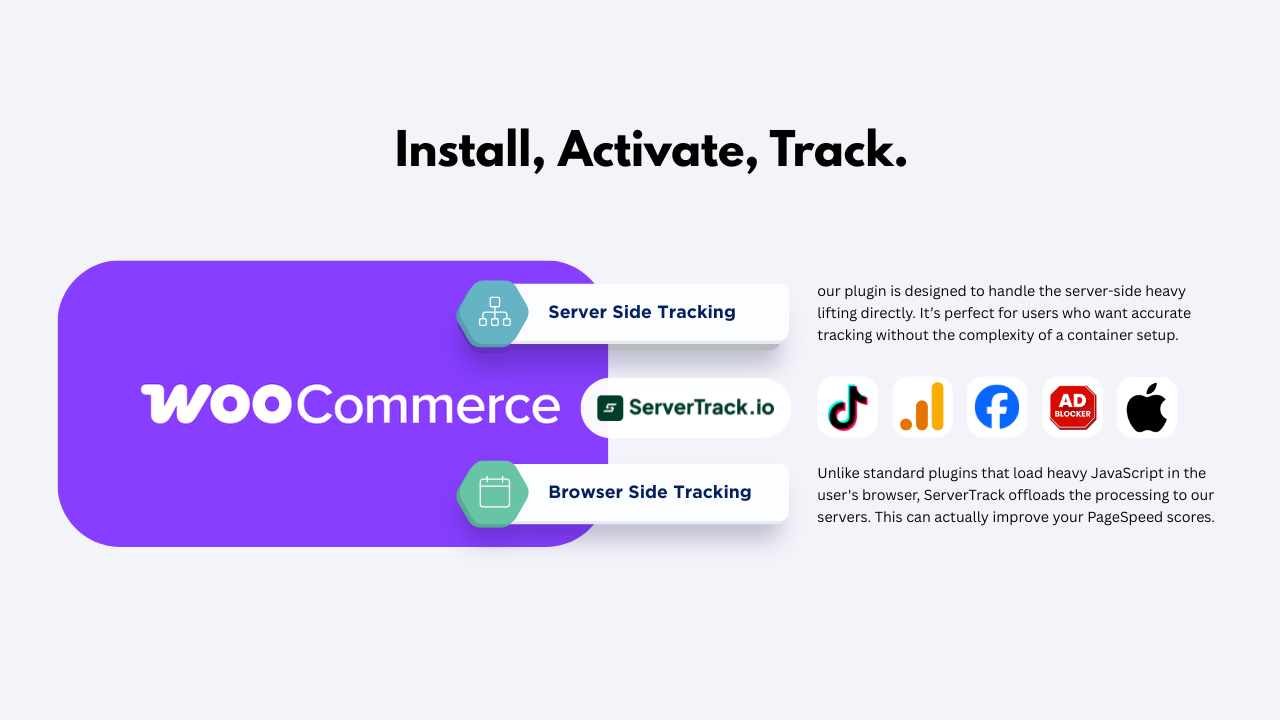
By moving the tracking from the browser to your server, you bypass these blocks entirely. Your server talks directly to Facebook's server. It is secure, it is fast, and most importantly, it is 100% accurate. ServerTrack.io provides the infrastructure to make this happen without any technical headaches.
The 60-Second Setup Guide
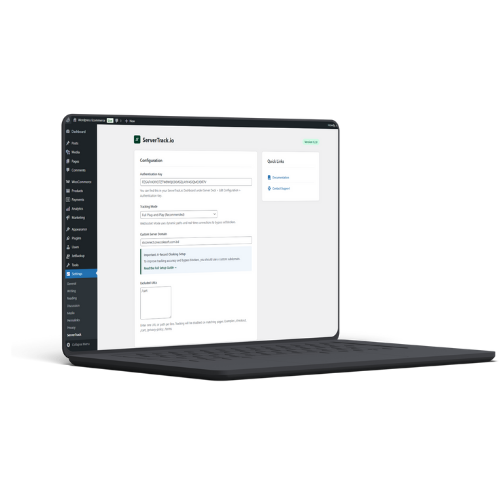
We promised you speed, and here it is. Follow these three simple steps to master Server Side Tracking WordPress:
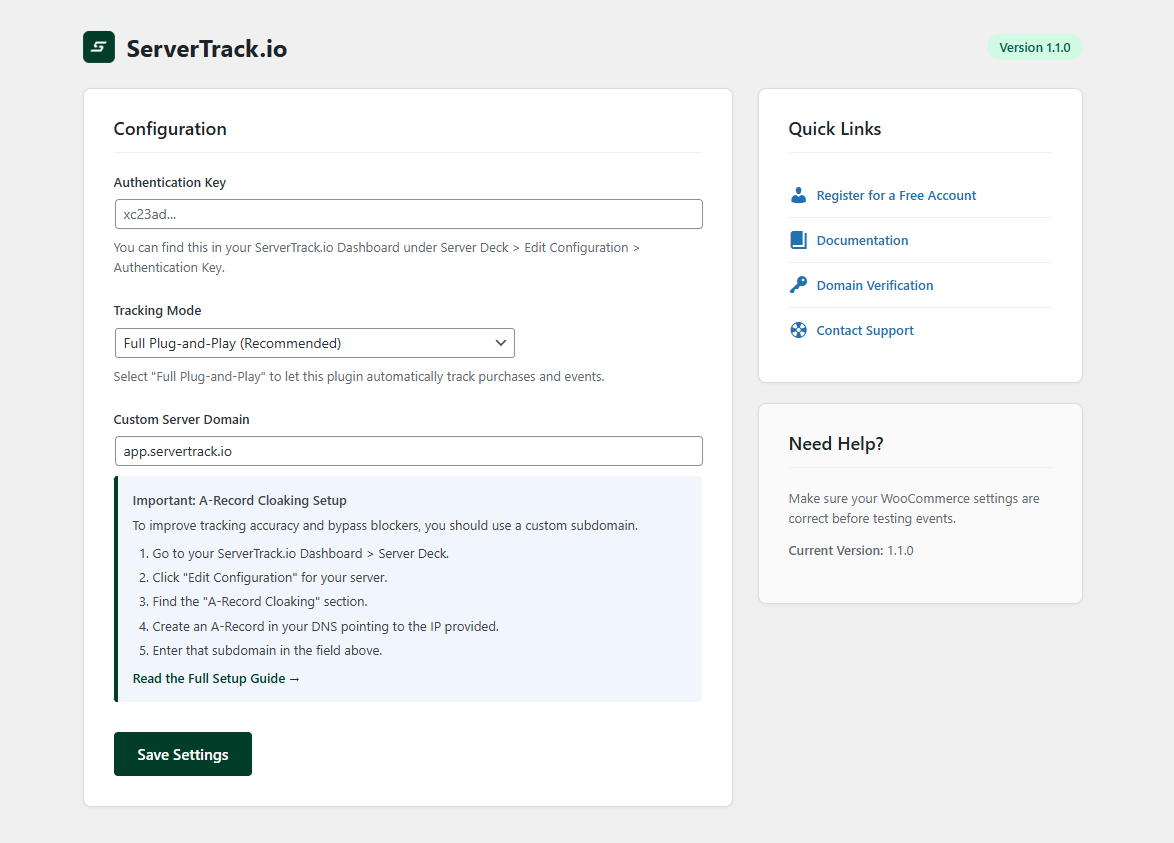
- Install the Plugin: Go to your WordPress dashboard, navigate to Plugins > Add New, and search for "ServerTrack.io" if not found then download it from our dashboard. Click install and activate.
- Enter Your Auth Key: Grab your unique Auth Key from your ServerTrack.io dashboard and paste it into the plugin settings. This links your site to our high-speed tracking servers.
- Add Your CNAME: Enter your custom tracking domain (like https://stconnect.yourstore.com). This ensures your data is treated as first-party, which is 100% block-proof. (Don't use track, tracking etc, Just pick random - Maybe your name!)
That’s it! You have officially completed your Server Side Tracking WordPress setup. Your site is now sending data directly to Facebook CAPI, TikTok, and GA4 with 99.99% accuracy.
Why ServerTrack.io is Different
There are other plugins out there, but Server Side Tracking WordPress through ServerTrack.io is built on a superior technical foundation. Developed by Onecodesoft, our system is designed for speed and reliability. We process over 1 million data points per second with a latency of only 5-20ms. This means your tracking happens faster than a browser can blink.
We also include a 10-time Smart Retry system. In the world of the internet, things sometimes fail. If a signal doesn't reach TikTok on the first try, our system doesn't give up. It tries again and again until the data is successfully delivered. This is Server Side Tracking WordPress at its most robust.
Advanced Features for E-commerce
Our WordPress plugin isn't just a simple bridge; it is a full-featured tracking suite. We have added specific tools to help WooCommerce owners thrive:
- Custom Event Triggers: Want to track a specific button click or a custom "Add to Cart" flow? Our plugin handles it with ease.
- URL Exclusion: You can choose to exclude certain pages from being tracked to keep your data clean.
- Conflict Resolution: We have built-in fixes for common conflicts with themes like Woodmart or other pixel plugins, ensuring a smooth experience.
This level of customization is what makes Server Side Tracking WordPress through ServerTrack.io the choice of top marketing agencies worldwide.
Comparison: Standard Plugins vs. ServerTrack.io
| Feature | Standard Pixel Plugins | ServerTrack.io (Server-side) |
|---|---|---|
| Setup Time | Hour's | 60 Seconds |
| Ad-Blocker Resistance | Zero | 100% Resistant |
| Data Success Rate | Approx. 70% | 99.99% |
| Retry Logic | None | 10x Smart Retry |
| Multiple Platforms | Often requires multiple plugins | Unified (FB, TikTok, GA4) |
Future-Proof Your Business
The digital world is moving away from cookies. By implementing Server Side Tracking WordPress today, you are future-proofing your business. You won't have to worry about the next iOS update or the next version of Chrome breaking your ads. You own your data, and you control how it is sent.
Starting with ServerTrack.io is risk-free. You can use our free plan for up to 10,000 requests per month with no credit card required. As your store grows, our paid plans are the most competitive in the industry, starting at just 1000 BDT. There is truly no reason to wait.
Conclusion
You no longer have to choose between technical complexity and accurate data. Server Side Tracking WordPress is now as simple as installing a plugin and entering a key. In just 60 seconds, you can give your Facebook and TikTok ads the data they need to lower your CPA and skyrocket your ROAS.
Ready to reclaim your data? Get started for free today or check out our documentation for more advanced setup tips. Our support team is always here to help you win.