How to Implement TikTok Server Side Tracking for Better ROAS
In the fast-paced world of social media marketing, TikTok has become a goldmine for brands. However, many advertisers are leaving money on the table because they rely solely on the traditional TikTok Pixel. If you want to stay competitive, you must learn how to implement TikTok Server Side Tracking. This advanced method ensures that your data is accurate, your targeting is precise, and your Return on Ad Spend (ROAS) is as high as possible.
Standard browser-based tracking is failing. With the rise of ad blockers and privacy updates like iOS 14.5, a large chunk of your conversion data is being lost. When TikTok doesn't see a sale, its algorithm can’t optimize your ads. By using TikTok Server Side Tracking through a platform like ServerTrack.io, you bridge this gap. ServerTrack.io receives data from your site, processes it, and sends it directly to TikTok, Facebook, and GA4, ensuring no event is missed.
The Problem with Browser-Based TikTok Pixels
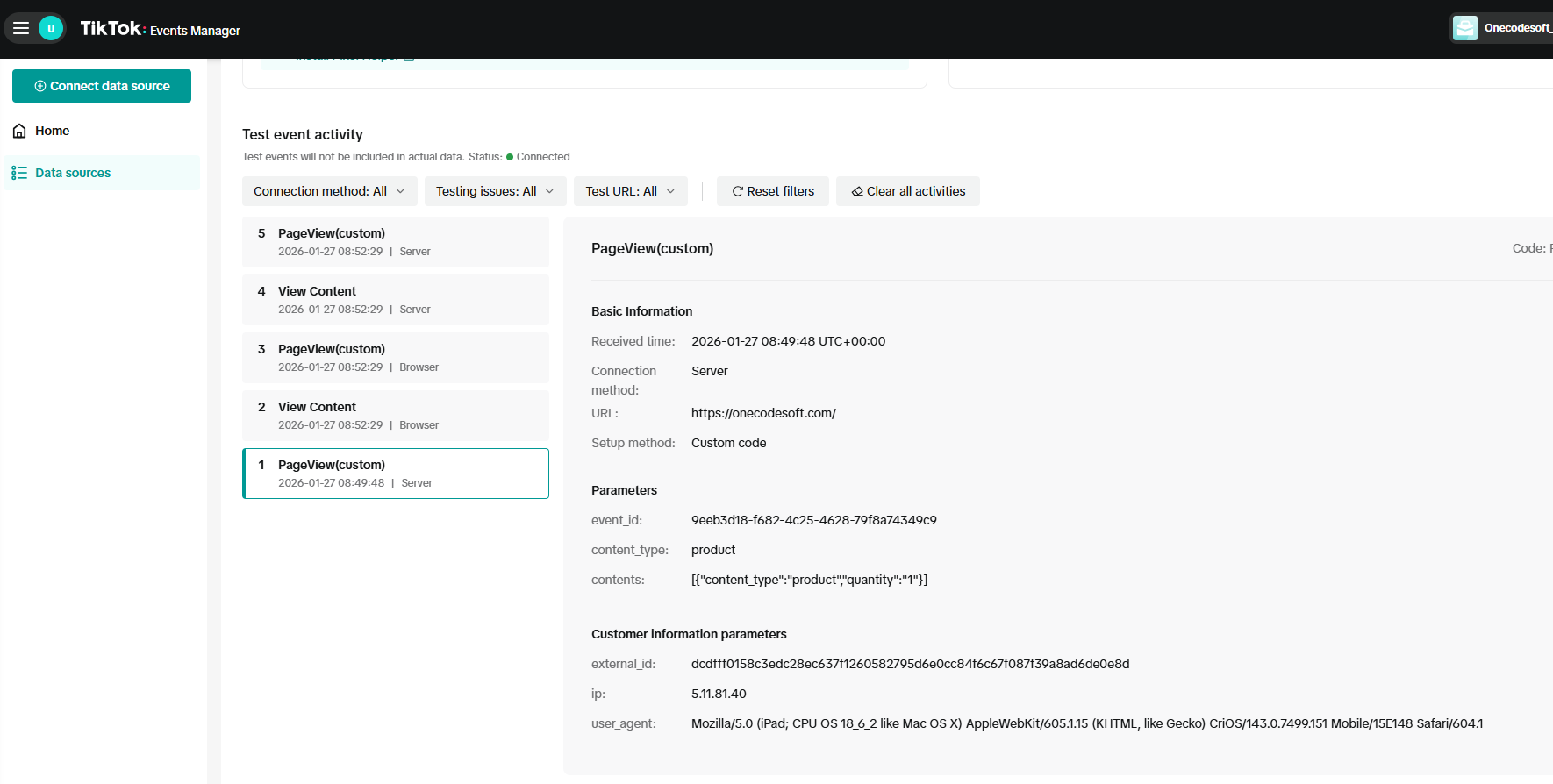
The TikTok Pixel lives in the user's browser. When someone clicks an ad and buys a product, the browser tells TikTok about the sale. But what if the user has an ad blocker? What if they are using a browser that deletes cookies after 24 hours? In these cases, the "Purchase" event never reaches TikTok. This is why TikTok Server Side Tracking has become a necessity for serious marketers.
Without TikTok Server Side Tracking, your reporting might show a 1x ROAS when your actual bank account shows a 3x ROAS. This discrepancy makes it impossible to scale your ads effectively. If the TikTok AI thinks your ads aren't working, it will stop showing them to your best potential customers.
What is TikTok Server Side Tracking?
Also known as the TikTok Events API, TikTok Server Side Tracking allows your website's server to talk directly to TikTok’s server. Instead of relying on a "pixel" to fire in a browser, your server sends a secure signal the moment an action happens. This method is 100% ad-block proof and privacy-compliant.
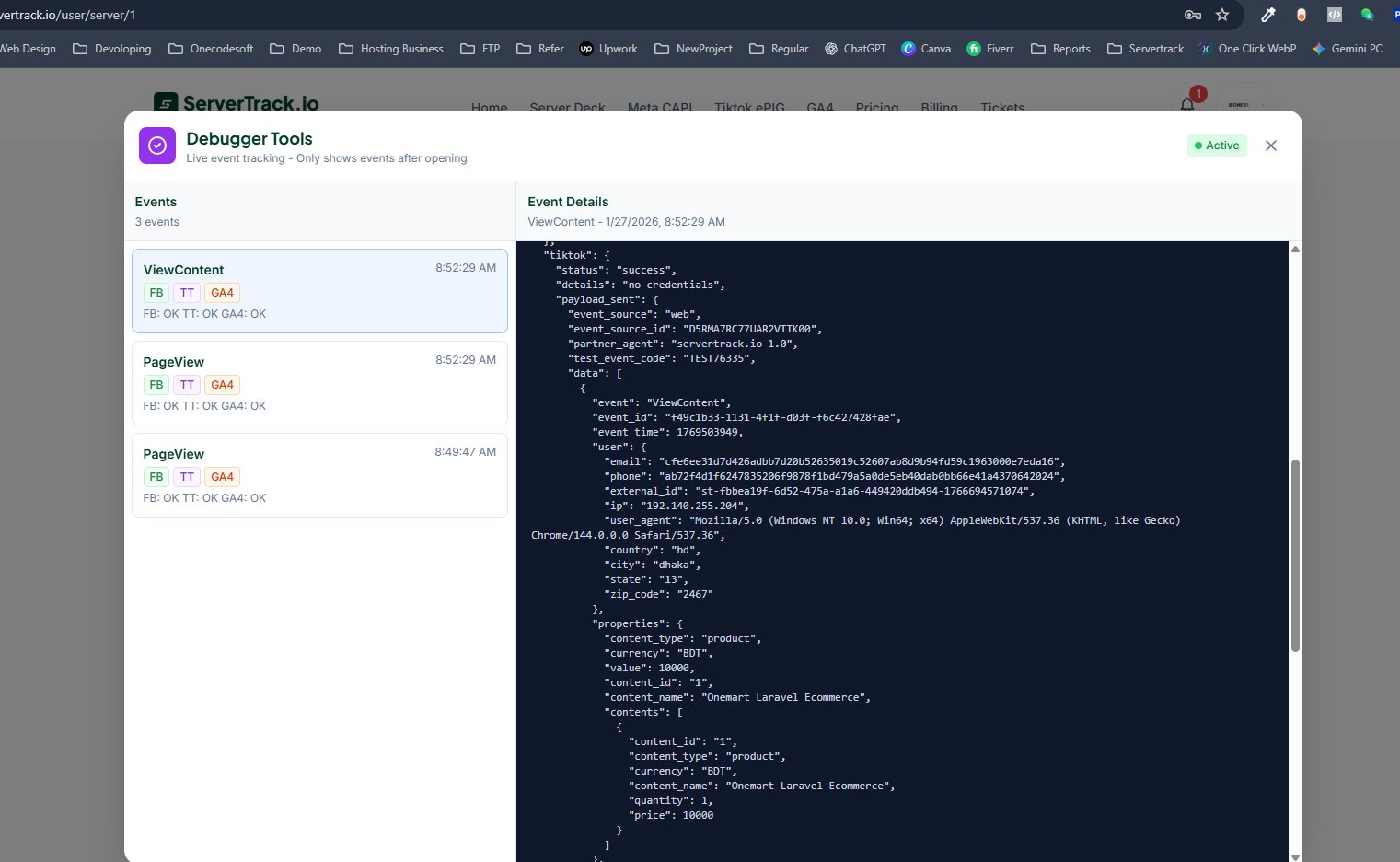
ServerTrack.io makes this process seamless. It acts as a powerful middleman. Once set up, ServerTrack.io captures the raw data from your website, cleans and processes it, and then distributes it to TikTok, Facebook CAPI, and GA4 simultaneously. It is a "one-stop" solution for all your server-side needs.
Step-by-Step: How to Implement TikTok Server Side Tracking
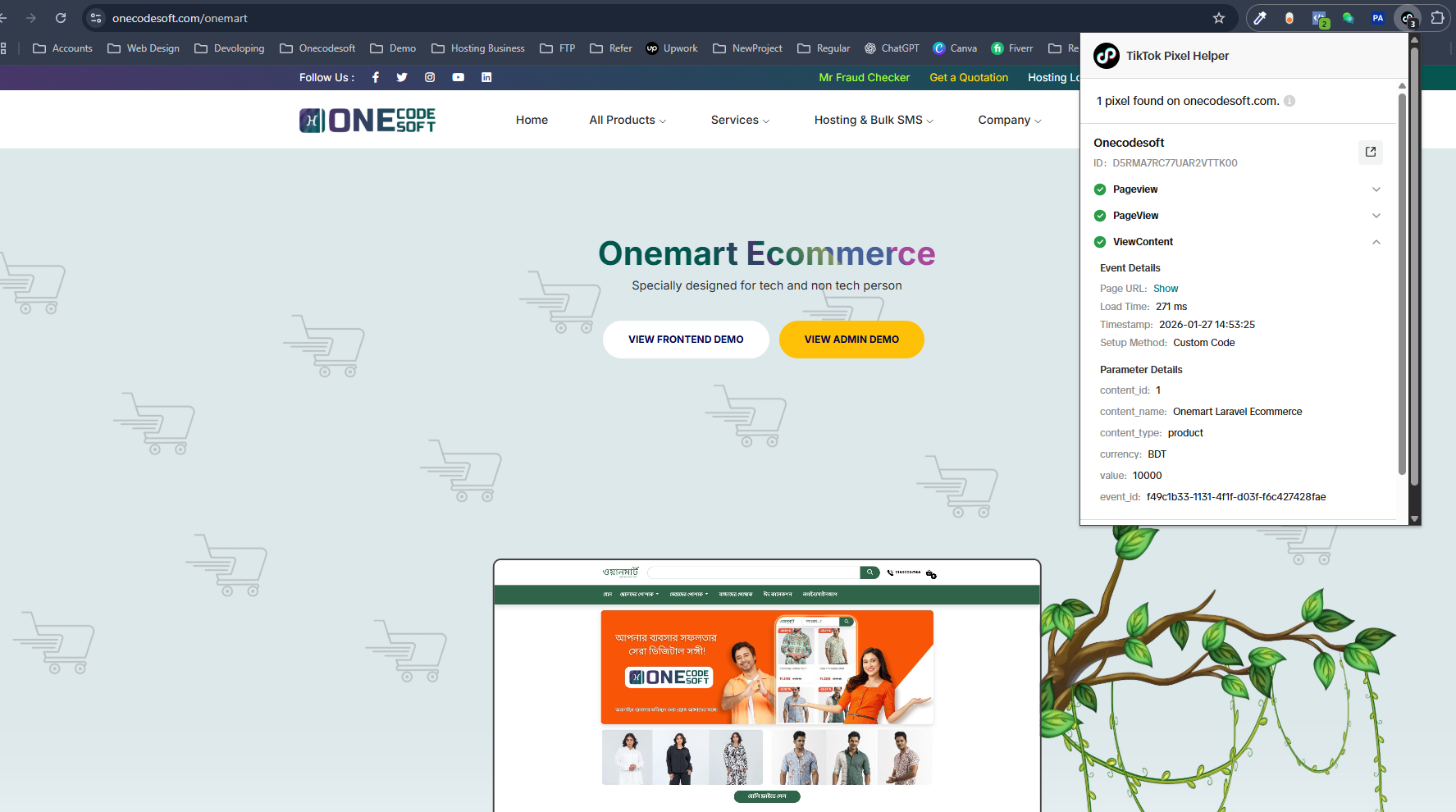
Implementing TikTok Server Side Tracking doesn't have to be a technical nightmare. With ServerTrack.io, you can get it running in a few simple steps:
- Create a ServerTrack Account: Sign up at ServerTrack.io. You can start with their free plan which offers 10,000 requests per month.
- Connect Your Source: Use the dedicated WordPress plugin or SDK to connect your website to the ServerTrack system.
- Generate TikTok Access Token: Go to your TikTok Ads Manager, navigate to Assets > Events, and generate an Access Token for the Events API.
- Configure in ServerTrack: Paste your TikTok Pixel ID and Access Token into the ServerTrack.io dashboard.
- Enable Event Mapping: Map your website events (like Purchase, Add to Cart, and Complete Registration) to the corresponding TikTok Server Side Tracking events.
Once these steps are done, your data will flow directly to TikTok’s servers, bypassing any browser-side interruptions.
Why ServerTrack.io is the Best Tool for the Job
There are many ways to set up TikTok Server Side Tracking, but ServerTrack.io offers unique advantages that others don't. Specifically designed for high-performance marketing, it handles over 1 million data points per second. This speed is crucial for real-time ad optimization.
Another major feature is the 10-time Smart Retry system. Sometimes, TikTok’s servers might be busy or a connection might flicker. Most tracking tools just give up. ServerTrack.io will try to send that data up to 10 times to ensure your conversion is recorded. This level of reliability is why agencies are moving their clients to our platform.
The Impact of Server-Side Tracking on Your ROAS
When you implement TikTok Server Side Tracking, you provide the TikTok algorithm with a cleaner, fuller picture of your customer's journey. Better data leads to:
- Improved Matching: Higher Match Quality scores mean TikTok can better identify which user made a purchase.
- Lower CPA: When the algorithm knows exactly who is buying, it stops wasting money on people who aren't interested.
- Accurate Retargeting: You can show ads to people who actually added items to their cart, even if they use ad blockers.
Comparison: Pixel vs. TikTok Server Side Tracking
| Feature | Standard TikTok Pixel | TikTok Server Side Tracking |
|---|---|---|
| Data Reliability | Low (Blocked by Ad-blockers) | High (100% Unblockable) |
| ROAS Accuracy | Estimated | Exact |
| Matching Ability | Depends on Cookies | Uses Advanced Signal Matching |
| Server Performance | Can slow down browser | Zero impact on user experience |
Future-Proofing Your Marketing Data
The transition to TikTok Server Side Tracking is part of a larger shift in the industry. Google has already begun phasing out third-party cookies in Chrome. Soon, browser-based pixels will be almost entirely obsolete. By moving to ServerTrack.io now, you are future-proofing your business.
ServerTrack.io doesn't just stop at TikTok. Our roadmap includes more integrations coming soon. Currently, we handle the heavy lifting for Facebook CAPI and GA4 as well. You send the data once to us, and we ensure it reaches every platform you use for your marketing.
Conclusion
Learning how to implement TikTok Server Side Tracking is the single most effective thing you can do to improve your ad performance this year. It moves your data from the unpredictable browser environment to a secure, reliable server environment. With 100% data accuracy and a smart retry system, ServerTrack.io ensures that every penny of your ad spend is accounted for.
Stop letting ad blockers eat into your profits. Start your TikTok Server Side Tracking journey today. You can view our pricing plans here or contact our support team for a personalized setup consultation.